Bitbucket Cloud Connector
Supported version: Cloud
API Rate Limit: 1,000 calls per hour
Supported Authentication: Basic authentication
For creating an App Password follow the steps below
- Login Bitbucket Cloud Ui -> Home page -> Account information -> Click on personal settings.
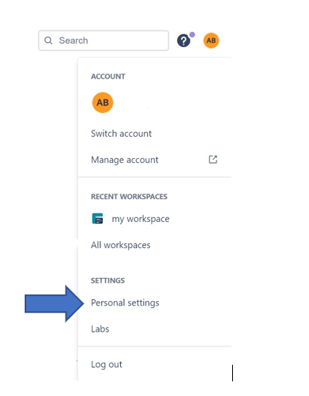
- Personal Settings-> Click on app Passwords
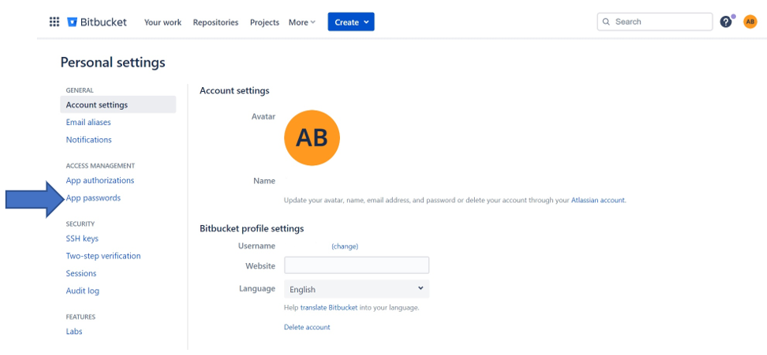
- App Passwords -> Click on create app password
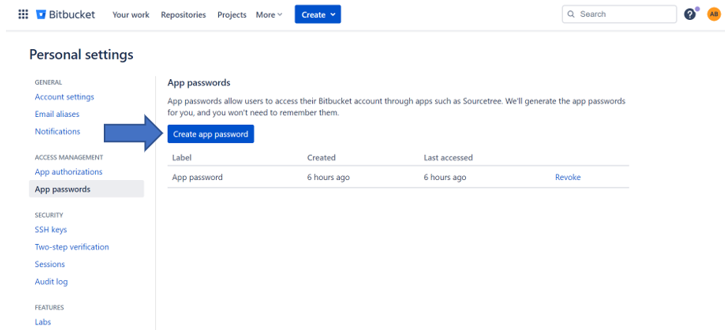
- Assing required permissions for the password -> Click on create button.
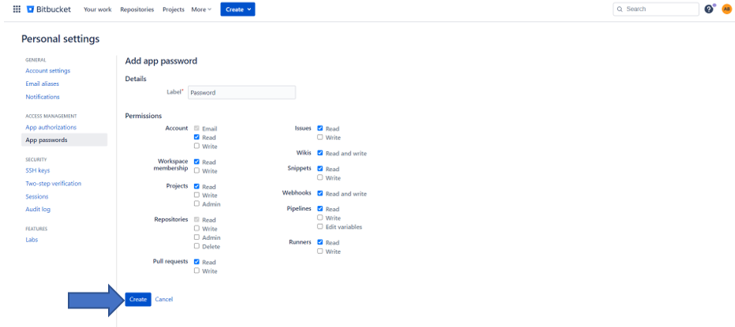
- Save the password -> Click on close.
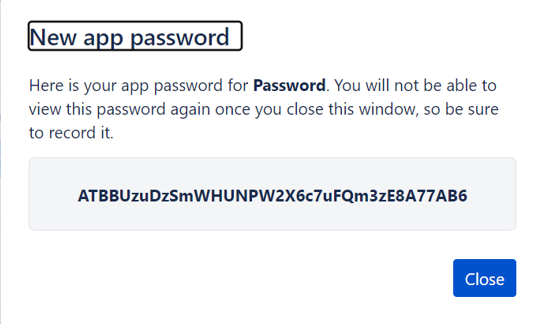
To configure Bitbucket Cloud to use basic authentication, follow the steps below:-
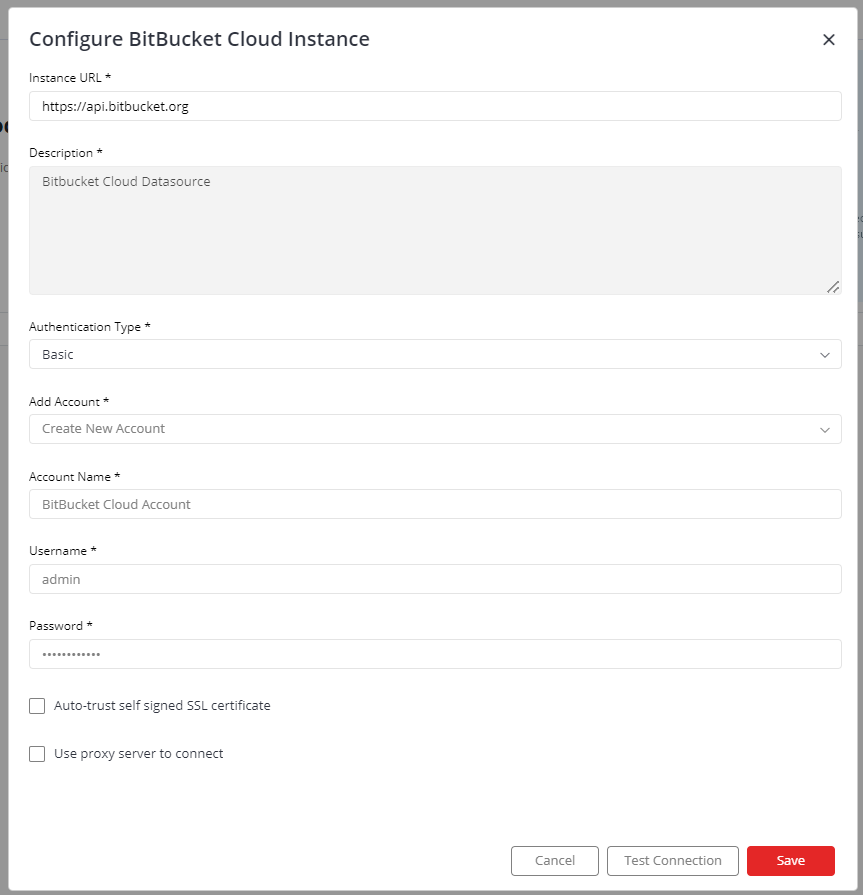
- Enter your Bitbucket Cloud URL for example https://api.bitbucket.org
- Select “Create New Account” and add user friendly name for account “Bitbucket Cloud Account”
- Enter your username and App password
- Click on “Save”
IMPORTANT: Please make sure your Bitbucket Cloud instance must be accessible from the Gathr Machine.
If you have any feedback on Gathr documentation, please email us!